Creating an Account
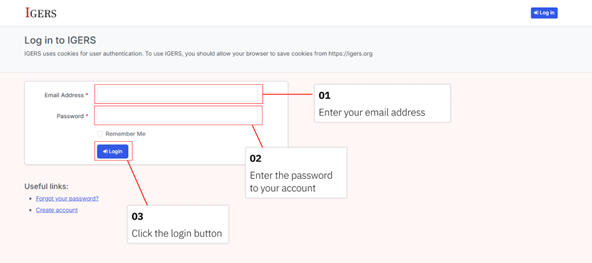
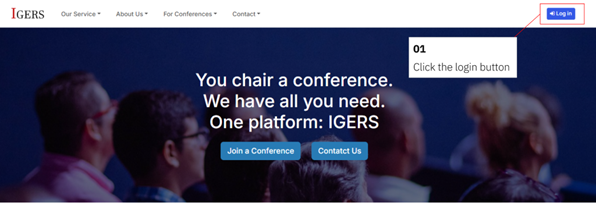
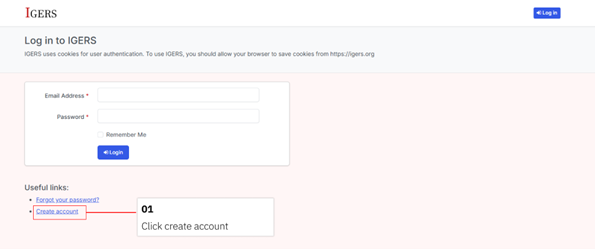
- To create an account, go to igers.org/login or click the Login button in the top-right corner of the homepage. You will then be redirected to the login page.
- On the login page, click the Create Account button.
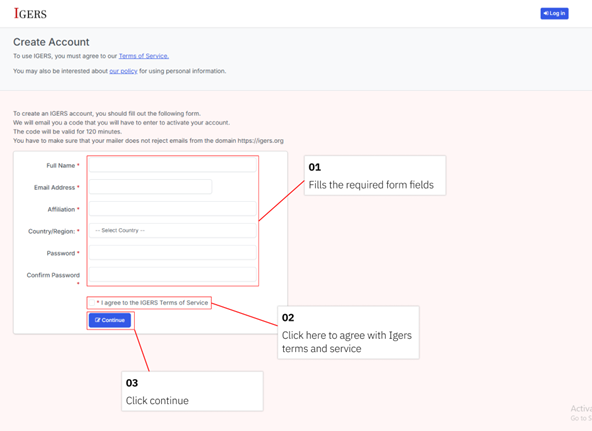
- Fill out the required fields, then click Continue.
- After creating an account, you will be prompted to verify your email.
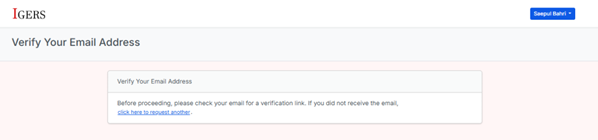
- Open your email inbox to find the email sent by Igers. If you cannot find the email, check your spam folder. If the email is still missing or the verification link has expired, you can request a new verification email by following the tutorial: My verification link is expired, what should I do?.
- After verifying your email address, you will be automatically redirected to your dashboard.
Login to your account
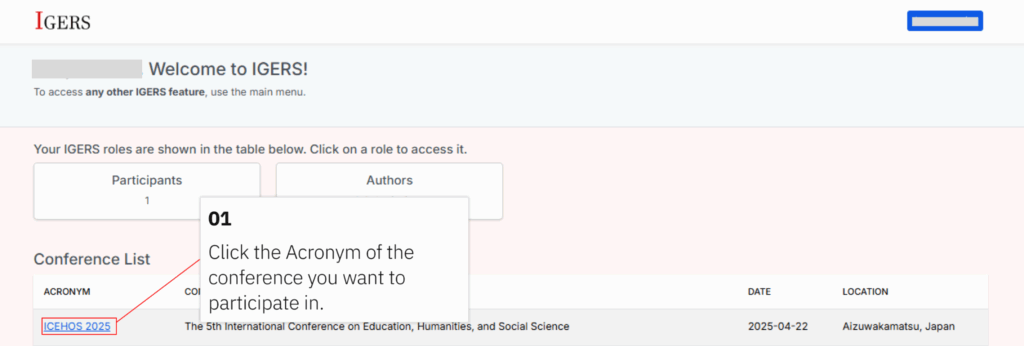
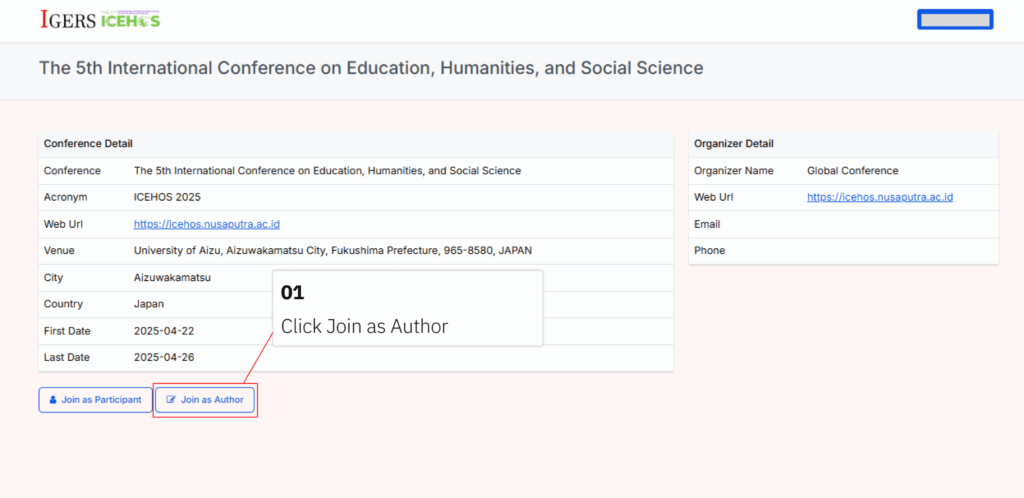
How to Join a Conference as an Author
Preparing Article Submission